Welcome to the Certified Practitioner Area, or as we call it, the Practitioner Portal!
You can access the My Account section of the Practitioner Portal by clicking on My Account on the Practitioner Portal home page.
The areas of My Account show you the typical account features like your name, contact information, billing and shipping addresses, order history, invoice history, and payment details.
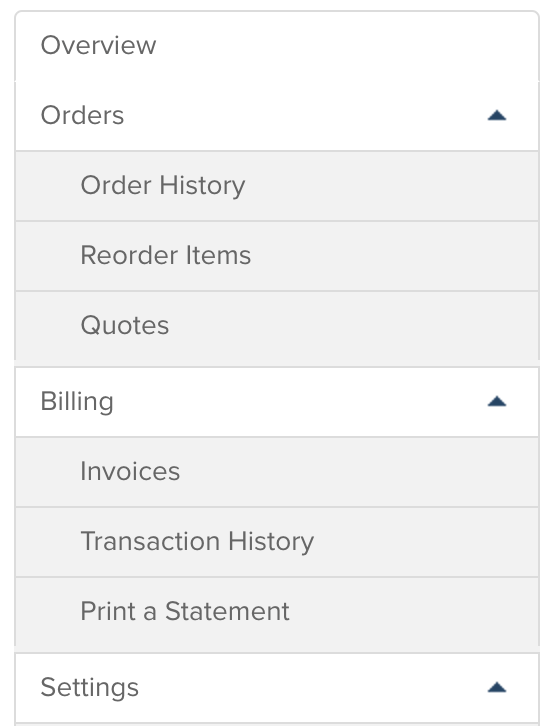
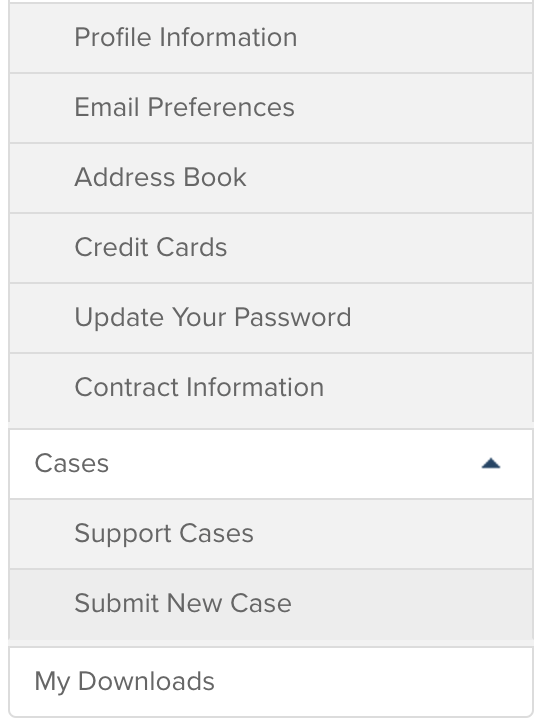
You can also keep track of your questions or “cases” for any technical difficulties or content questions you
have. “My Downloads” includes any digital purchases that you have made. If you need help updating any of the information and cannot do it on the webpage, please contact your Account Manager or call 1-800-432-4234 and select option 4.
2
0
Was this article helpful?
1 out of 2 found this helpful
How do i get to My account in thnker Hub to get a copy of my recent order