Symptoms
You are on page 8 of the HBDI® and have ranked Work Elements into one of the five categories. However, the assessment will not allow you to proceed to the next page. The next arrow is subdued and inactive. In some cases, hovering over the next arrow shows a red "x".
How to Fix It
This occurs when the system detects that all of the Work Elements have not been ranked into one of the five categories. 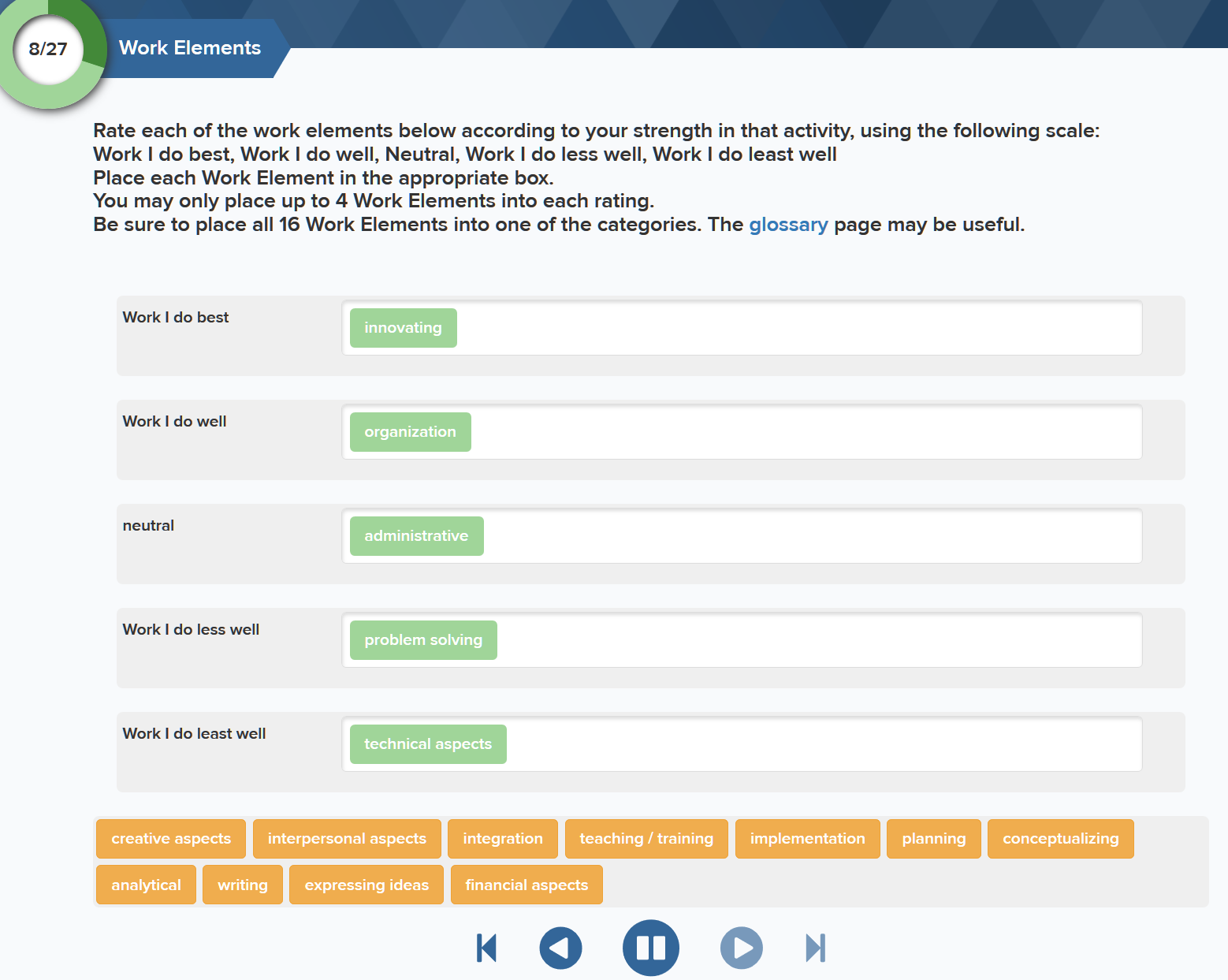
Note in the above screenshot that there are still remaining Work Elements in the orange tiles. Per the instructions, all Work Elements need to be ranked into one of the five categories. Once all of the orange tiles have been ranked, the next arrow will become active, allowing you to proceed to the next page of the HBDI®.
I Still Cannot Proceed to the Next Page
If the next button is still inactive, there might be something else going on. Please send a request to support@herrmann.zendesk.com so Herrmann IT can reach out to you and assist.
Add comment
Please sign in to leave a comment.