Thanks for visiting the Herrmann Help Center! Jump to any section below for help on this topic.
- How does it work?
- Access step-by-step directions.
To make a payment via credit card, login with the credentials provided and follow the below instructions to submit your payment.
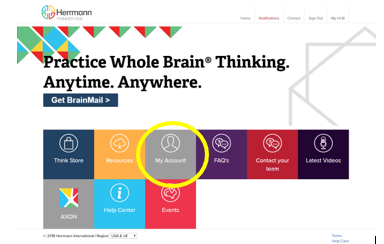
Navigate to the My Account section on the Practitioner Portal.
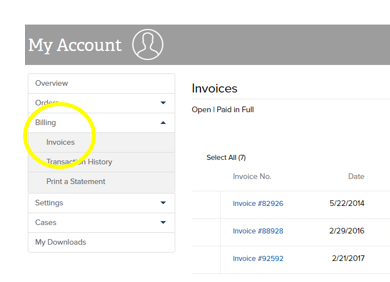
2. Next, select Billing and then navigate to the Invoices tab on the left side of the screen.
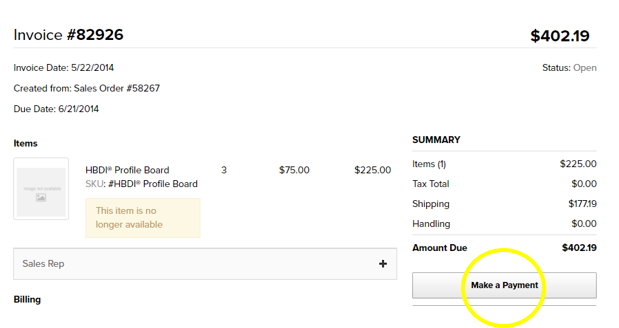
3. Next, click on the Invoice you would like to pay and select Make a Payment.
3
1
Was this article helpful?
2 out of 3 found this helpful
Add comment
Please sign in to leave a comment.